
Everyone has their master IdP (Entra ID, OKTA, Google Identity…) already in place anyways, so what’s all the fuzz about?
It might be a bit more useful to walk-through a couple of examples to shed some light on the why. This post will explain three use-cases:
- Web server using OIDC/OAuth2
- SSO to web server with static credentials
- SSO to web server with Kerberos/KDC
One thing in common for all of the use-cases explained here is security.
Web server using OIDC/OAuth2
Setup – A web server is using modern authentication, in this case OIDC/OAuth2.
Problem – Due to security concerns the IT team has aligned that out-bound traffic to internet is not allowed from the web servers. This is to avoid an exploited web server from opening a connection to malicious actor.
Explain – As per design, the OIDC/OAuth2 validates the WCF tokens on the IdP token endpoint (json/well-known contains the token_endpoint attribute), thus the web server needs to be able to connect the IdP. For example, the MS Entra Organizations well-known document contains a link to its token endpoint https://login.microsoftonline.com/organizations/oauth2/v2.0/token.
Solution – By configuring NetScaler as the OAuth IdP for the web server we can limit the traffic to the server environment and then configure the NetScaler as OAuth SP or even SAML SP for the public IdP (handled in detail in our earlier post “Chained federated authentication, NetScaler as SP and IdP”)
SSO to web server with static credentials
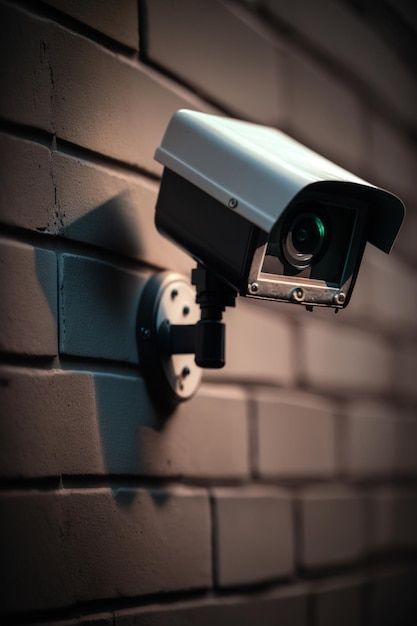
Setup – A factory site has a dozen independent webcams installed with static credentials that need to be accessible by a third-party security guards.
Problem – Sharing the static credentials for all security guards is a bad idea; the personnel change constantly and it’s just not possible to change the credentials and share them every time the team changes. Due to this the IT team has dictated the guards should access the security cameras with their respective user accounts and use multi-factor authentication to access the environment. On top of this, the access for each camera needs to be authorized via an AD group (or IdP provided group) and an audit trail is required.
Solution – By configuring NetScaler as OAuth SP or SAML SP for the chosen IdP, we can cover the multi-factor authentication requirement (discussed in post “Federated authentication, NetScaler as SP“) and by leveraging the nFactor capabilities (LDAP extract), we can also cover the authorization and audit requirements (read more about the auditing in post “Security basics, part 4 – When?“).
Especially when the authorization and audit are needed, it’s vital to configure the NetScaler also as a reverse proxy for the service. This adds an extra layer of security by hardening the environment protocol-wise (related blog post), segmentation (related blog post) and certificate management (more of this later!).
Once the user is Authenticated, Authorized and Audited (AAA), we can store the static credentials in NetScaler and post these in the webcam authentication to cover the last mile.
SSO to web server with Kerberos/KDC
Setup – A legacy web application is running on a web server and uses Windows authentication. The application is accessed from the internal networks using AD joined clients.
Problem – The application needs to be accessible from non-domain-joined clients using modern authentication.
Solution – As in the examples above, configure NetScaler as either OAuth or SAML SP for the chosen IdP to cover the authentication requirements. Also, use it for reverse proxying the connection to the web server. For SSO, complete the required service account configuration and SPN registrations in the AD and export the keytab for NetScaler and configure SSO using KDC.

When the delegation is configured, the NetScaler AAA capabilities can be used impersonate either the logged in user (finding the attributes using LDAP extract) or impersonating a common user / shared account in special cases (i.e. external contractors that only have user account in the IdP, but no longer in the on-premises AD).
Followup
If you’re facing some of the problems above and need a solution, feel free to reach out to us. You can drop me an email at kari.ruissalo@comping.fi.
ps. We also provide NetScalers as managed service (including licenses), so don’t let that stop you.